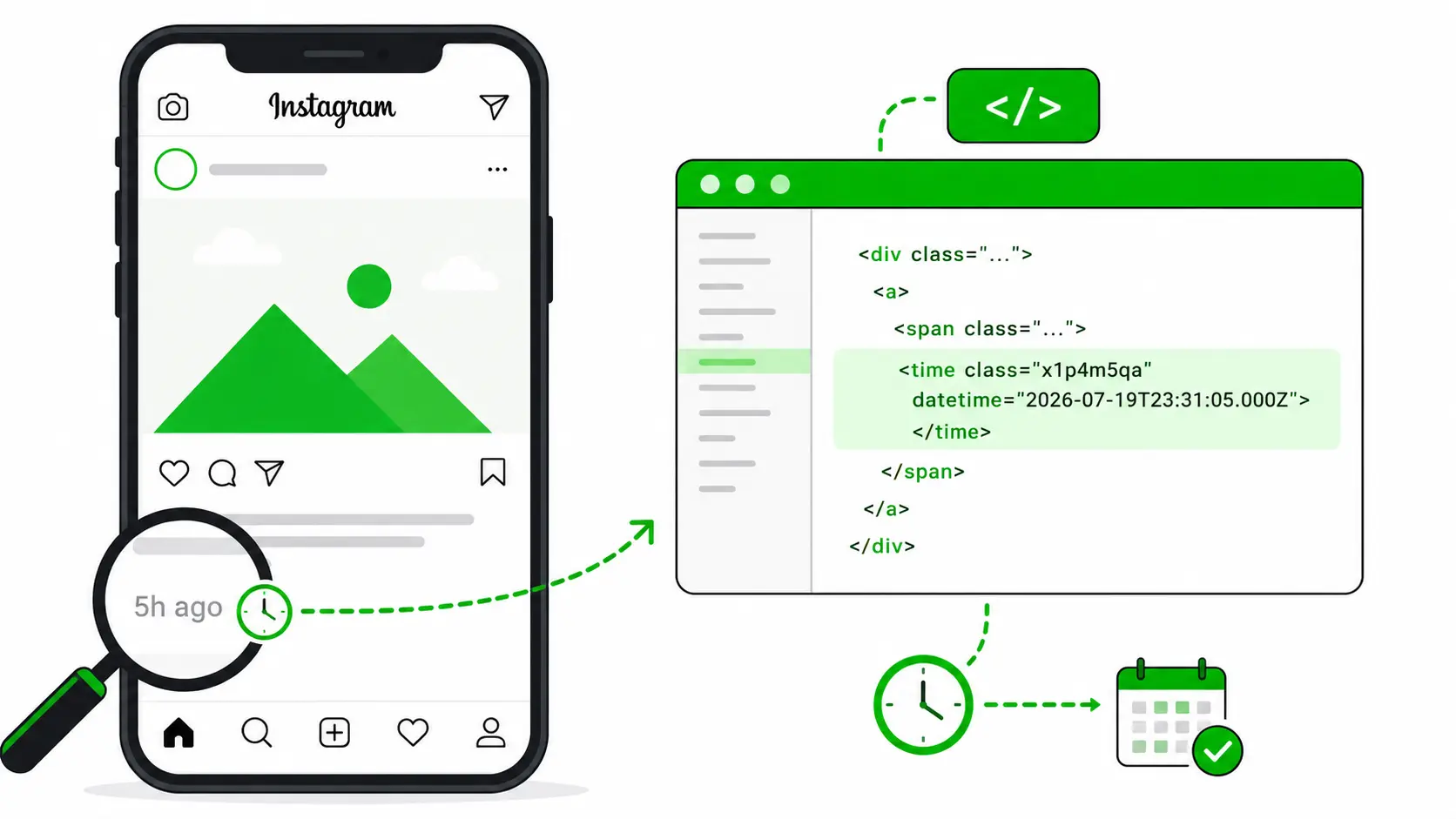
Ever looked at an Instagram post and seen “5 hours ago” or “2 days ago” and wished you knew the exact minute it was published? You can actually find that without any paid tool, browser extension, or third-party app.
This method works on any public Instagram post or Reel, directly through your standard desktop browser.
Why the Exact Post Time Matters
If you work in social media marketing or manage brand accounts, relative timestamps like “5h” or “3d” aren’t very useful. Knowing the exact time helps you:
- Study competitor posting patterns — pinpoint the exact hour and minute their top-performing content drops so you can schedule around peak audience activity.
- Verify event announcements or contest entries — confirm down to the second when an announcement or entry was officially submitted.
- Analyze algorithmic velocity — evaluate how many likes and comments a post accumulated within the first 15, 30, or 60 minutes of release.
Step-by-Step: Find the Exact Instagram Post Time
Step 1: Open Instagram on Desktop
This method requires a desktop browser (Chrome, Edge, Brave, or Firefox), as mobile apps don’t support code inspection. Open instagram.com, find the post, and click on it so it opens in its full modal or URL view.
Step 2: Right-Click and Select “Inspect”
Right-click directly on the relative time shown below the post (e.g. “5 hours ago” or “July 22”) and select Inspect. This immediately opens the browser’s Developer Tools element tree with that element highlighted.
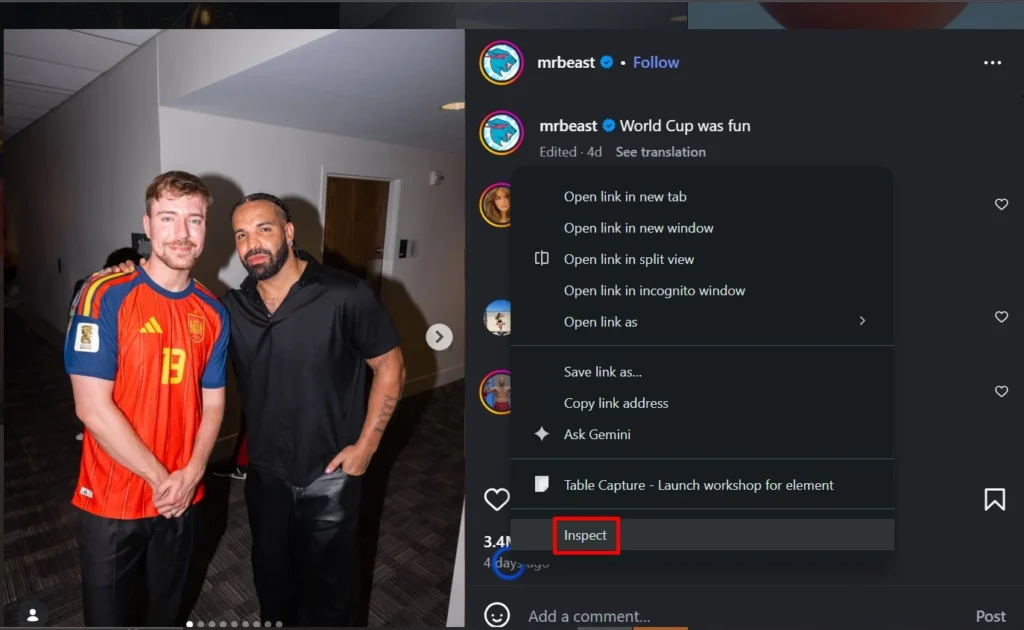
Step 3: Find the <time> Tag
In the Elements panel, look for the <time> HTML tag. Inside it, you’ll see an attribute called datetime.
datetime="2026-07-22T09:14:35.000Z"
This is the exact timestamp down to the second that the post was pushed to Instagram’s servers.

Step 4: Convert UTC Time to IST
Notice the “Z” at the end of the timestamp — that indicates UTC (Coordinated Universal Time). To know the exact local time in India, convert it to IST (UTC +5:30).
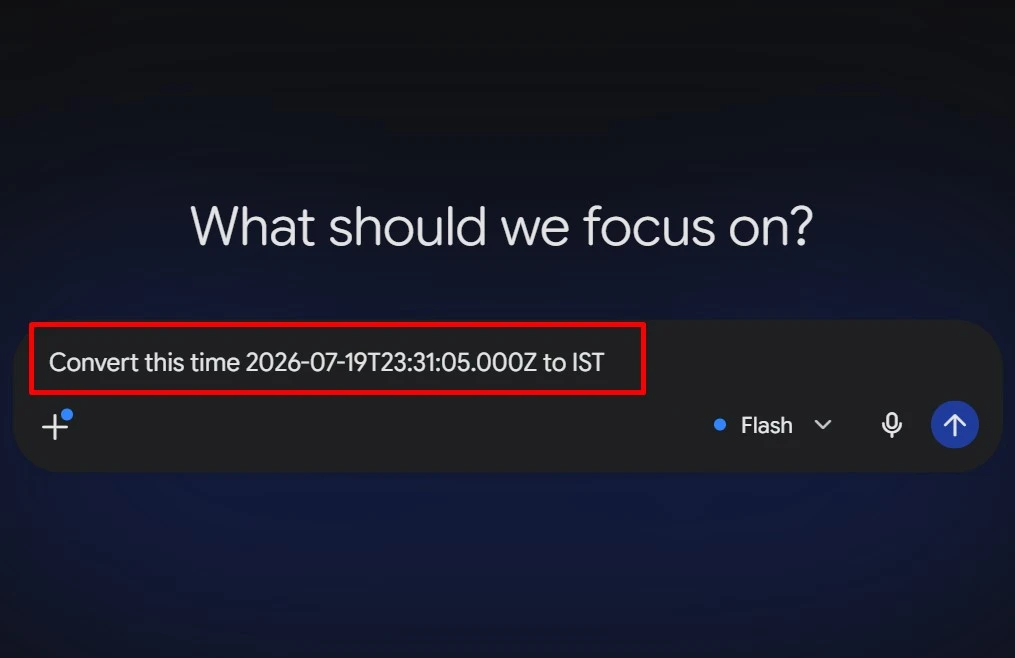
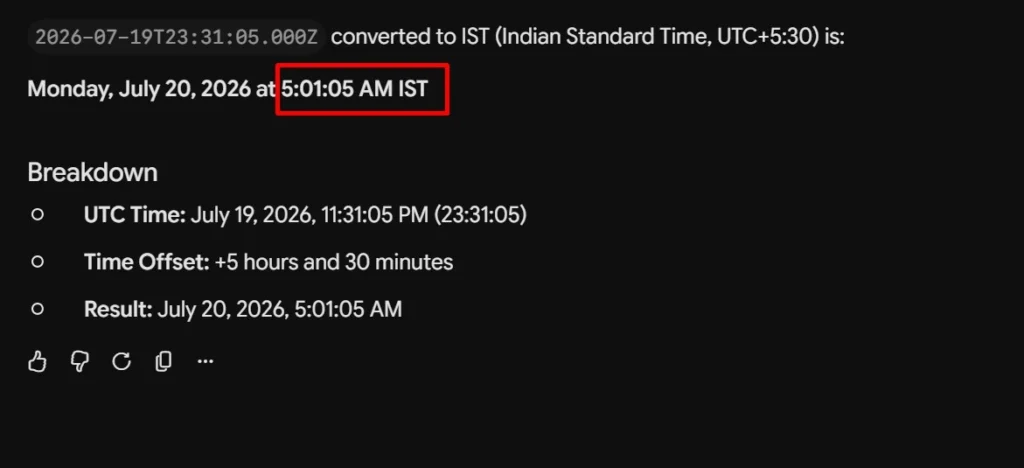
You can paste the datetime value into Gemini or ChatGPT: “Convert 2026-07-22T09:14:35Z to Indian Standard Time.” In seconds, it gives you the exact local clock time (e.g. 2:44:35 PM IST).
💡 Pro Tip for Social Media Managers
Track your top 3 competitors across 10 posts each. Tabulate their exact publishing hours in an Excel sheet. You will quickly discover their optimal posting window, allowing you to run your Reels and carousel drops right when their audience is actively browsing!

Written by Deepanraj
Digital Marketing Consultant in Madurai with 5+ years of experience helping local and national businesses dominate Google Search, Google Ads, Meta Ads, and AI-driven Search (AEO & GEO).
Work with Deepanraj →